
Pinterest Download Not Working? Here’s Every Fix
A Pinterest download that opens in a new tab instead of saving, a file that vanishes after downloading, or a flat “won’t work” with no explanation — these are the handful of problems that account for almost every failed Pinterest download. Here’s what’s actually going wrong in each case, and the fix for every one of them.
Why a video opens in a new tab instead of downloading
This is the single most common failure, and it has a specific technical cause worth understanding. Pinterest stores its video and image files on a separate domain from the main Pinterest website. When a download link points directly at that file storage domain, browsers often treat the request as simply opening the file rather than saving it — so instead of a download, you get a new tab playing the video. A properly built downloader routes the file through its own server first, which is exactly what makes the difference between a tool that reliably saves files and one that just opens them in a new tab. If a download keeps opening instead of saving, the tool itself is the problem, not your device or your connection.

The iPhone error: “The operation couldn’t be completed”
This specific error message shows up when iOS tries to save a file type or from a source it doesn’t recognize as a standard downloadable image or video. It’s a Safari-level message, not a Pinterest or downloader-specific one, and it typically means the browser attempted a direct save rather than going through a proper download flow. The fix is the same as the new-tab problem above: use a downloader that actually processes the file through its own server rather than linking straight to Pinterest’s file storage, which avoids triggering this error in the first place.
Why your download isn’t in your Photos or Gallery
On iPhone, files downloaded through Safari land in the Files app’s Downloads folder, not automatically in Photos — that’s an iOS behaviour, not something gone wrong with the download. To move a downloaded video into Camera Roll, open it from the download notification or the Files app, tap Share, and choose Save Video, which copies it into Photos from there. On Android, downloaded files similarly land in a general Downloads folder rather than directly in your gallery app. Moving the file into your Pictures or DCIM folder through your device’s file manager usually gets it picked up by the gallery automatically on the next scan.

Why some pins can’t be downloaded at all
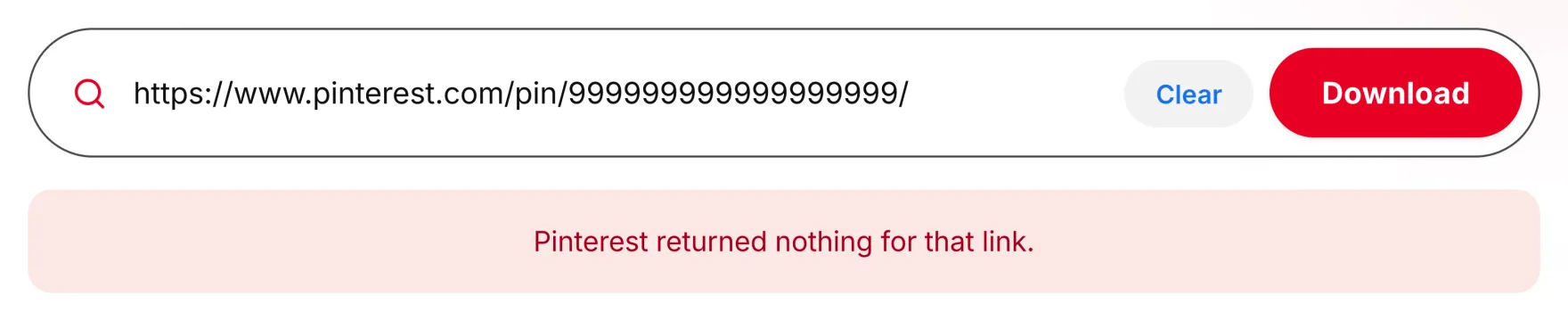
If a link consistently returns nothing no matter what, three explanations cover almost every case. First, the link might not actually point to an individual pin — a profile link, a board link, or a search results page all look similar to a pin link but don’t contain the single piece of media a standard downloader expects; each of those needs its own dedicated tool (profile, board, or individual pin respectively). Second, the pin’s board might be set to private, which blocks any public-link-based tool regardless of what content type it is. Third, the pin may have been deleted since you found it, in which case there’s genuinely nothing left on Pinterest’s servers to retrieve.
Why a download button does nothing when clicked
This is usually a browser-level block rather than anything wrong with the pin or the tool. Pop-up blockers can silently prevent the new tab or window a download process needs to complete, especially on mobile browsers set to aggressive blocking by default. Checking your browser’s site settings and explicitly allowing pop-ups for the downloader you’re using resolves this in the large majority of cases.
Why a download link stops working after a while
Download links generated by a tool are often time-limited by design, usually valid for a short window after they’re created, rather than staying active indefinitely. If a download was interrupted or simply wasn’t completed in time, the fix is almost always just repeating the process from the start — paste the pin’s link again and generate a fresh result, rather than trying to reuse a link that’s gone stale.
A quick checklist before troubleshooting further
- Confirm the link was copied from the pin’s own “Copy link” option rather than the address bar or a different page type.
- Confirm the board is public rather than private.
- Confirm the pin still exists on Pinterest.
Running through these first often makes the more detailed troubleshooting above unnecessary. For the full walkthrough across every format, the complete download guide covers video, images, GIFs and boards in one place. If the download works but feels slow rather than broken, Pinterest download times sets out what is normal.
Common questions
Why does my Pinterest video open in a new tab instead of downloading?
This happens when a tool links directly to Pinterest’s file storage domain rather than routing the file through its own server first — a browser behaviour, not a problem with your device.
What does “the operation couldn’t be completed” mean on iPhone?
It’s a Safari-level error that occurs when a direct save is attempted on a file type or source Safari doesn’t handle as a standard download — avoided entirely by using a downloader that properly processes the file first.
Why isn’t my downloaded Pinterest video in my Photos app?
On iPhone, Safari downloads save to the Files app’s Downloads folder by default, not Photos — use the Share option from there to copy it into Camera Roll.
Why won’t a specific pin download at all?
Check that the link is a direct pin link rather than a board, profile, or search page, that the board is public, and that the pin hasn’t been deleted.
What should I do if the download button doesn’t respond?
Check your browser’s pop-up blocker settings first — this is the most common cause of a download button that appears to do nothing.
The short version
Most Pinterest download problems trace back to one of a handful of specific, fixable causes: a tool linking directly to Pinterest’s file storage instead of its own server, a device saving files to a different folder than expected, a link that’s gone stale, or a pin link that was never actually a single-pin URL in the first place. Working through these in order resolves the overwhelming majority of download failures without needing to guess at the cause.